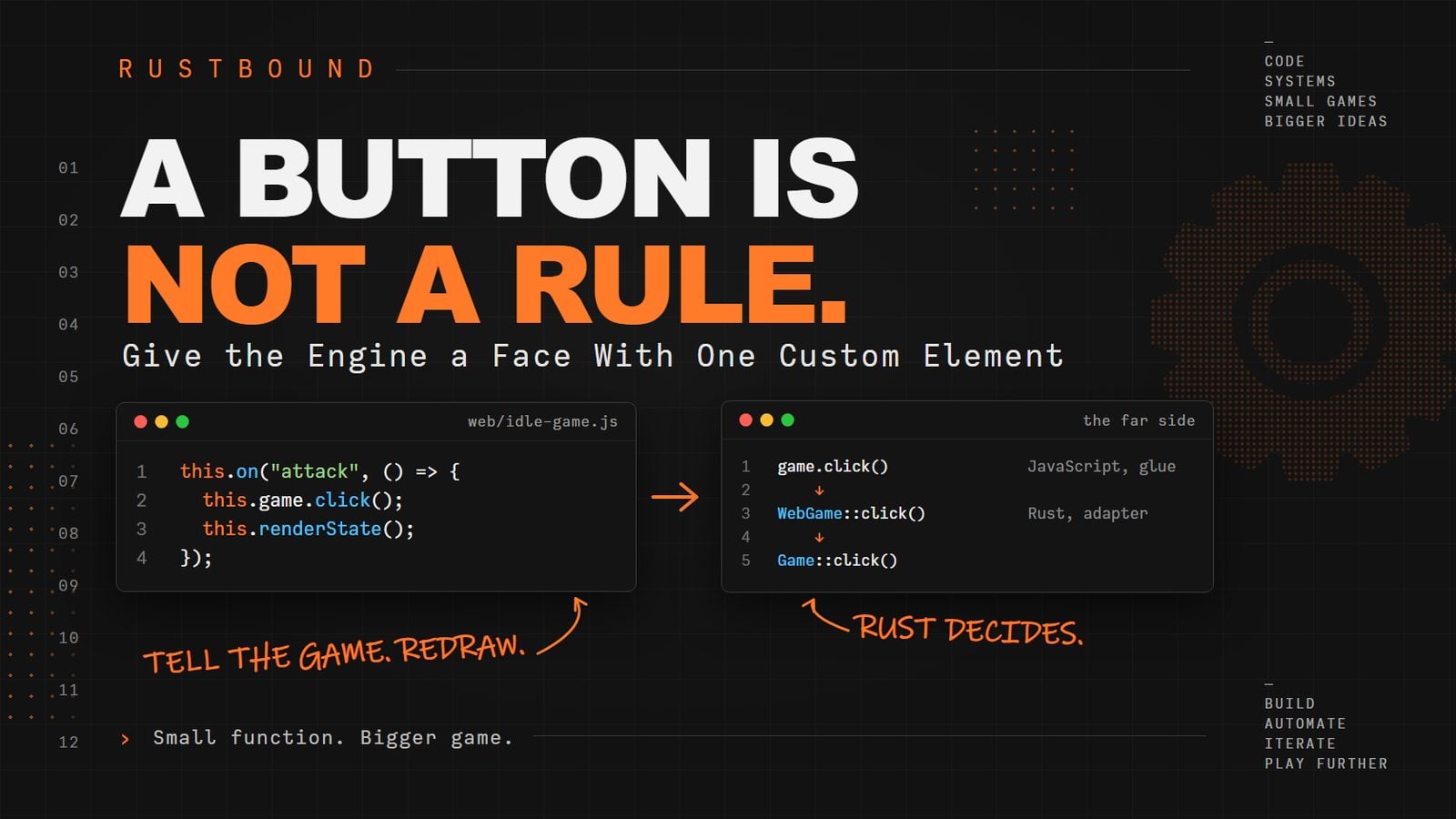
A Button Is Not a Rule.
Give the Engine a Face With One Custom Element
Canonical: https://journeytocode.io/a-button-is-not-a-rule/
Our engine runs in a browser. Nobody can play it.
There is no button. There is a <pre> tag and a number, and the number only changes if you edit the page.
Today the game gets a face: one custom HTML element, <idle-game>, that draws the snapshot, turns a click on a button into game.click(), keeps a clock, and saves to the browser's storage, so closing the tab is not game over either.
By the end, you open the page, click a few slimes to death, buy an upgrade, close the tab, come back ten minutes later, and the page says:
Welcome back. 10 minutes of progress applied.
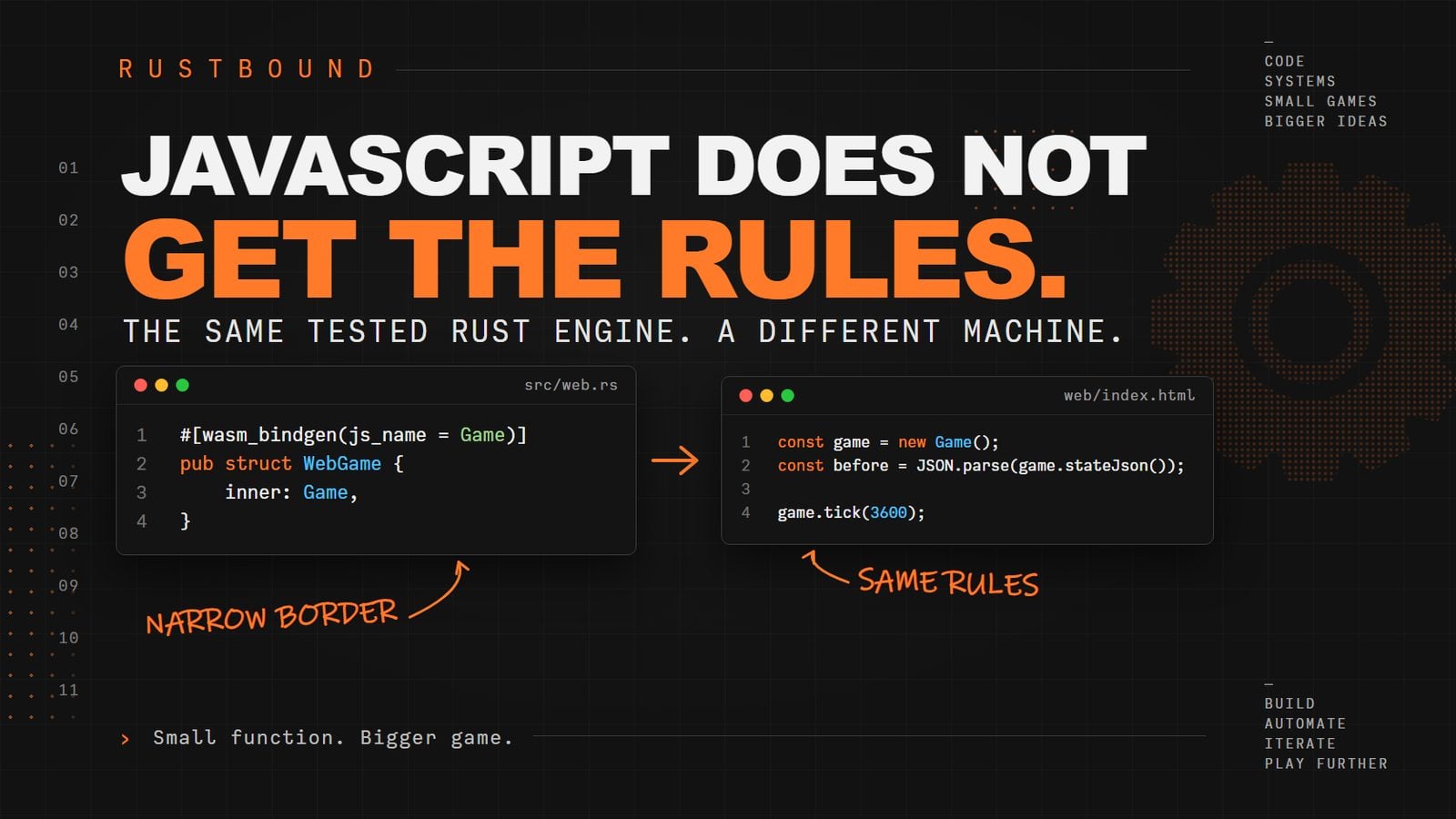
The browser owns time, storage, and pixels now. It still does not get the rules.
This is the first article in the series where most of the new code is JavaScript. The Rust does not change by a single line. That is the point of everything we did last time, and today we collect on it.
Our starting point
This series builds a small idle game: a player clicks to fight slimes, earns gold and XP, and keeps progressing while you are away.
If you are only reading along, skip past this section to "A tag of our own."
If you are building along, you need the project as it stood at the end of the last article: the rustbound-idle library with src/web.rs, built for the browser with wasm-pack. (If you kept your project, you have it. The article_11 branch of the companion repository has it too.) The Rust side is not changing today, so this starting point only lists the two files we are about to replace.
rustbound-idle/
├── Cargo.toml
├── src/            (unchanged today)
├── tests/          (unchanged today)
└── web/
    ├── index.html
    └── pkg/        (generated by wasm-pack)
web/index.html:
web/index.html
<!doctype html>
<html lang="en">
  <head>
    <meta charset="UTF-8" />
    <title>Rustbound Idle</title>
  </head>
  <body>
    <h1>Rustbound Idle</h1>
    <pre id="output">Loading the engine...</pre>

    <script type="module">
      import init, { Game } from "./pkg/rustbound_idle.js";

      await init();

      const game = new Game();
      const before = JSON.parse(game.stateJson());

      game.tick(3600);

      const after = JSON.parse(game.stateJson());

      document.querySelector("#output").textContent =
        `One hour away.\nStage ${before.stage} -> ${after.stage}  ` +
        `Level ${before.level} -> ${after.level}  ` +
        `Gold ${before.gold} -> ${after.gold}`;
    </script>
  </body>
</html>
And for reference, the seven things JavaScript can do, from web/pkg/rustbound_idle.d.ts (plus the [Symbol.dispose] line we ignored last time):
web/pkg/rustbound_idle.d.ts
export class Game {
    free(): void;
    [Symbol.dispose](): void;
    buyClickUpgrade(): string;
    click(): void;
    static fromJson(json: string): Game;
    constructor();
    saveJson(): string;
    stateJson(): string;
    tick(seconds: number): void;
}
stateJson() returns a flat picture of the game with every rule already applied: stage, gold, xp, xpNeeded, level, clickDamage, clickUpgradeLevel, clickUpgradeCost, enemyName, enemyHealth, enemyMaxHealth. buyClickUpgrade() returns the word "purchased" or "notEnoughGold". Game.fromJson() returns a game or throws a message.
Make sure the package is built and the page is served:
wasm-pack build --target web --out-dir web/pkg
python3 -m http.server 8080 --directory web
Open http://localhost:8080/ and you should see the hour away. That is where we start.
A tag of our own
The browser already knows a lot of tags. <button>, <h1>, <pre>. Each one knows how to draw itself and what to do when you click it.
We are going to teach it one more:
<idle-game></idle-game>
This is a custom element, the heart of what people call a Web Component, and it is a feature of the browser itself. No framework. No build step. A tag with a hyphen in its name, a JavaScript class that says what it does, and one line that introduces them to each other.
The page shrinks to almost nothing. Replace web/index.html with this:
web/index.html
<!doctype html>
<html lang="en">
  <head>
    <meta charset="UTF-8" />
    <meta name="viewport" content="width=device-width, initial-scale=1" />
    <title>Rustbound Idle</title>
  </head>
  <body>
    <idle-game></idle-game>

    <script type="module" src="./idle-game.js"></script>
  </body>
</html>
The script moved out into its own file, and the page does not know what an <idle-game> is. It does not need to. main.rs works the same way: it creates a game and prints it, and it knows nothing about formulas. Same shape, one layer up.
Now the class. Create web/idle-game.js:
web/idle-game.js
import init, { Game } from "./pkg/rustbound_idle.js";

class IdleGame extends HTMLElement {
  constructor() {
    super();
    this.attachShadow({ mode: "open" });
    this.game = null;
  }

  async connectedCallback() {
    this.renderShell();

    await init();

    this.game = new Game();
    this.renderState();
  }
}

customElements.define("idle-game", IdleGame);
This is how you tell the browser what a new kind of tag is. Four things to read.
class IdleGame extends HTMLElement says: this is a kind of element. Every tag the browser knows is an HTMLElement underneath, and so is ours.
The constructor() runs when the element is created. super() lets HTMLElement set itself up first. It is required, and the browser will tell you if you forget. Then attachShadow() gives the element a private tree of its own to draw in. The page cannot see into it, and its styles do not leak out, so we can use plain names like .meter inside without worrying about the rest of the page. That private tree is called the shadow DOM, and this.shadowRoot is how we reach it.
connectedCallback() runs when the element is attached to the page. This is where the work happens. It is async so that it can await init(), the same engine load as before.
And customElements.define("idle-game", IdleGame) is the introduction: when the browser sees that tag, use this class.
The two methods it calls do not exist yet, so do not reload until the next section is done. We write them now.
Draw the shell once
The old page rebuilt its entire output every time. For one line of text that was fine. For a screen with a dozen numbers on it, we want to draw the structure once and then change only the numbers.
So the component has two drawing methods. renderShell() builds the HTML once, with placeholders. renderState() fills the placeholders in, and it runs every second and after every click.
Add renderShell() inside the class, under connectedCallback():
web/idle-game.js
  renderShell() {
    this.shadowRoot.innerHTML = `
      <link rel="stylesheet" href="./styles.css" />

      <section class="game">
        <h1>Rustbound Idle</h1>
        <p class="status" data-status role="status" aria-live="polite"></p>

        <section class="stats">
          <p>Stage <strong data-stage>1</strong></p>
          <p>Level <strong data-level>1</strong></p>
          <p>Gold <strong data-gold>0</strong></p>
        </section>

        <section class="enemy">
          <h2 data-enemy-name>Enemy</h2>
          <p><span data-enemy-health>0</span> / <span data-enemy-max-health>0</span> HP</p>
          <div class="meter"><span data-health-bar></span></div>
          <button data-action="attack" type="button">
            Attack for <span data-click-damage>0</span>
          </button>
        </section>

        <section class="progress">
          <p>XP <span data-xp>0</span> / <span data-xp-needed>0</span></p>
          <div class="meter xp"><span data-xp-bar></span></div>
        </section>

        <section class="upgrades">
          <button data-action="buy-click" type="button">
            Sharper clicks (level <span data-click-upgrade-level>0</span>)
            for <span data-click-upgrade-cost>0</span> gold
          </button>
        </section>

        <button class="reset" data-action="reset" type="button">Reset save</button>
      </section>
    `;
  }
It is a block of HTML inside a JavaScript string. The backticks let it span lines.
Every number on screen sits in an element with a data- attribute: data-stage, data-gold, data-enemy-health. Those are hooks. They do nothing on their own. They are names we can find things by, so that renderState() can say "put the stage here" without caring whether it is a <strong> or a <span>.
The buttons have data-action instead, for the same reason.
The <p data-status role="status" aria-live="polite"> line is where messages go: "Not enough gold yet," "Welcome back." The two extra attributes tell a screen reader that this paragraph is a status line, and that it should be read out when it changes without interrupting. It costs nothing to include, and it is the difference between a game some people can play and a game everyone can.
The <link> at the top pulls in a stylesheet. The shadow DOM does not see the page's styles, so the component brings its own.
The stylesheet is deliberately plain. It makes the buttons look like buttons and the meters look like meters, and that is all. Making it beautiful is a different job, one that someone who does not write Rust could take on. Hold that thought for the end of the series. If you are reading along, skip the block. If you are building along, create web/styles.css:
web/styles.css
:host {
  display: block;
  max-width: 28rem;
  margin: 2rem auto;
  font-family: system-ui, sans-serif;
  line-height: 1.4;
}

.game > section {
  margin-bottom: 1.5rem;
}

.stats {
  display: flex;
  gap: 1.5rem;
}

.stats p {
  margin: 0;
}

.status {
  min-height: 1.4em;
  color: #555;
}

.meter {
  height: 0.75rem;
  background: #ddd;
  border-radius: 0.375rem;
  overflow: hidden;
  margin: 0.5rem 0;
}

.meter span {
  display: block;
  height: 100%;
  width: 0;
  background: #c0392b;
  transition: width 0.15s;
}

.meter.xp span {
  background: #2980b9;
}

button {
  font: inherit;
  padding: 0.6rem 1rem;
  border: 1px solid #888;
  border-radius: 0.375rem;
  background: #f4f4f4;
  cursor: pointer;
}

button:disabled {
  opacity: 0.5;
  cursor: not-allowed;
}

.reset {
  font-size: 0.85rem;
}
Poke the shadow boundary
A page rule such as .meter { background: red; } does not reach inside a shadow root, because the component's tree is hidden from the page's stylesheet. Two doors are deliberate: CSS custom properties pass through, and ::part() exposes only the parts a component names. This article takes the simple route and ships its own styles.css.
Try the interactive Web Components explorer on the canonical article.
Two things in it matter to the code. :host is the shadow DOM's name for the element itself, our <idle-game>. And .meter is a grey bar with a span inside it for the coloured part, whose width we will set from JavaScript.
Question: The page's own stylesheet also has a .meter rule. Why does the bar inside <idle-game> ignore it?
- The page's stylesheet loads after the component's, so it is overridden
- The shadow root hides its tree from the page's stylesheet, so only rules inside that root reach its elements
renderShell()removes every class name the page has defined- Class names are only global when they begin with
data-
Answer: 2. The shadow root hides its tree from the page's stylesheet, so only rules inside that root reach its elements
Explanation: A shadow root is a wall for CSS as well as for JavaScript. That is why the component carries its own
<link>tostyles.css, and why its class names cannot clash with the page's.
Fill in the numbers
Now renderState(). It asks Rust for the picture and pours it into the hooks:
web/idle-game.js
  renderState() {
    const state = JSON.parse(this.game.stateJson());

    this.setText("[data-stage]", state.stage);
    this.setText("[data-level]", state.level);
    this.setText("[data-gold]", state.gold);
    this.setText("[data-enemy-name]", state.enemyName);
    this.setText("[data-enemy-health]", state.enemyHealth);
    this.setText("[data-enemy-max-health]", state.enemyMaxHealth);
    this.setText("[data-click-damage]", state.clickDamage);
    this.setText("[data-xp]", state.xp);
    this.setText("[data-xp-needed]", state.xpNeeded);
    this.setText("[data-click-upgrade-level]", state.clickUpgradeLevel);
    this.setText("[data-click-upgrade-cost]", state.clickUpgradeCost);

    this.setMeter("[data-health-bar]", state.enemyHealth, state.enemyMaxHealth);
    this.setMeter("[data-xp-bar]", state.xp, state.xpNeeded);

    this.shadowRoot.querySelector('[data-action="buy-click"]').disabled =
      state.gold < state.clickUpgradeCost;
  }

  setText(selector, value) {
    this.shadowRoot.querySelector(selector).textContent = String(value);
  }

  setMeter(selector, value, max) {
    const percent = max === 0 ? 0 : Math.min(100, (value / max) * 100);
    this.shadowRoot.querySelector(selector).style.width = `${percent}%`;
  }
Put all three under renderShell(). The order of methods inside a class does not matter to JavaScript. We list them in this order only so the file reads top to bottom.
querySelector("[data-stage]") finds the element with that attribute. Setting textContent replaces what is inside it. That is the whole trick, eleven times.
setMeter() turns two numbers into a width. Thirty health out of fifty is a bar 60% full.
The last line is the first thing on this screen that looks like a decision: the upgrade button is disabled when you cannot afford it. Look at what it compares. state.gold and state.clickUpgradeCost both come from Rust. JavaScript did not work out the cost. It read the cost and compared two numbers it was handed. The button going grey is presentation, not a rule. If the pricing formula ever changes, this line does not change with it.
Now look at what renderState() does not do. It does not add anything up. It does not know what level 2 means for click damage, or how much XP the next level takes. It is handed every answer and arranges them on the screen.
That is the whole contract for this file: Rust answers, JavaScript arranges.
Question: The upgrade button is disabled with state.gold < state.clickUpgradeCost. Which change would turn that line into a rule that belongs in JavaScript?
- Renaming
clickUpgradeCosttocost - Computing the cost in JavaScript from the upgrade level, instead of reading it from
stateJson() - Moving the comparison into
setText() - Putting the comparison inside a
data-attribute
Answer: 2. Computing the cost in JavaScript from the upgrade level, instead of reading it from stateJson()
Explanation: The comparison stays presentation as long as both numbers come from Rust. Once JavaScript works out what an upgrade costs, the pricing formula lives in two places, and the first one to change will disagree with the other.
Reload the page. The engine loads, and the screen fills in: stage 1, level 1, a Training Slime with 20 of 20 HP, a button that says "Attack for 5," and an upgrade for 10 gold that is greyed out because you have none.
Click Attack. Nothing happens. We have not told the button what a click means yet.
A button is not a rule
Here is what a click means:
web/idle-game.js
  bindEvents() {
    this.on("attack", () => {
      this.game.click();
      this.renderState();
    });
  }

  on(action, handler) {
    this.shadowRoot
      .querySelector(`[data-action="${action}"]`)
      .addEventListener("click", handler);
  }
Add both under setMeter(), and call bindEvents() from connectedCallback(), right after this.game = new Game();:
web/idle-game.js
    this.game = new Game();
    this.bindEvents();
    this.renderState();
on() is a small helper, so that we do not write this.shadowRoot.querySelector(...).addEventListener(...) four times. It finds the button by its data-action and attaches a function that runs when the button is clicked.
The function for Attack is two lines. Tell the game. Redraw.
That is the title of this article. The button does not decide how much damage a click does. It does not check whether the slime died, pay the player, or spawn the next one. It says a click happened, and then it asks what the world looks like now. Everything between those two lines is on the far side of the border, where it has been since the first article:
<button> click
    ↓
IdleGame handler
    ↓
game.click()               JavaScript, glue
    ↓
WebGame::click()           Rust, adapter
    ↓
Game::click()
    ↓
Player::click_damage()
    ↓
rules::click_damage()      Article 1
Reload and click. 15 of 20. Click three more times, and the stage ticks to 2, you have 5 gold and 6 XP, and a slime with 30 HP appears. The health bar jumps back to full.
Four clicks to a slime, the same count the seventh article's tests check.
Buying across the border
The upgrade button follows the same shape, with one addition. Add this inside bindEvents(), under the attack handler:
web/idle-game.js
    this.on("buy-click", () => {
      const outcome = this.game.buyClickUpgrade();
      this.renderState();
      this.showStatus(
        outcome === "purchased" ? "Click damage upgraded." : "Not enough gold yet.",
      );
    });
And showStatus() under setMeter():
web/idle-game.js
  showStatus(message) {
    this.shadowRoot.querySelector("[data-status]").textContent = message;
  }
buyClickUpgrade() answers in a word, because last time we decided that a word was what could cross. The handler reads the word and chooses a sentence. Again, it does not decide whether the purchase went through. Rust did, and said so.
Reload and click two slimes to death. The first pays 5 gold, the second 7. With 12 gold in hand, the 10-gold upgrade button lights up. Buy it. The status says "Click damage upgraded." The Attack button now reads "Attack for 7," and the upgrade costs 20.
The second button has a surprise in it. Try clicking it while it is greyed out. Nothing happens, because a disabled button does not fire clicks. So the "notEnoughGold" branch of that handler can never run.
It stays anyway. The disabled state is a courtesy from renderState(). Rust refusing the purchase is the rule. If someone removes the courtesy, or a different screen forgets it, the rule still holds, and the sentence is ready.
The browser owns the clock
Right now the game only moves when you click. An idle game should move on its own.
In the eighth article we decided who owns time: whoever runs the game. In a terminal, that was main(), handing over 3600 in one go. In a browser, it is a clock that ticks while the tab is open.
Add this under showStatus():
web/idle-game.js
  startClock() {
    this.lastTickAt = Date.now();

    this.timer = setInterval(() => {
      const now = Date.now();
      const elapsedSeconds = Math.floor((now - this.lastTickAt) / 1000);

      if (elapsedSeconds < 1) return;

      this.lastTickAt += elapsedSeconds * 1000;
      this.game.tick(elapsedSeconds);
      this.renderState();
    }, 1000);
  }
Give the constructor two more fields, after this.game = null;:
web/idle-game.js
    this.timer = null;
    this.lastTickAt = 0;
And call startClock() at the end of connectedCallback(), after renderState().
setInterval() runs a function over and over, here once every thousand milliseconds. The obvious version of that function is one line: this.game.tick(1). One second passed, so tell the game.
We are not writing that version, because the browser does not promise a thousand milliseconds. A busy page, a background tab, or a laptop going to sleep can make the interval fire late, or stop firing for a while and then catch up. If every firing meant exactly one second, the game would run slow whenever the browser was busy.
So the function measures. Date.now() gives the current time in milliseconds. We remember when we last told the game about time, work out how many whole seconds have passed since then, and hand over that many. If the browser fired early and less than a second has passed, we say nothing and wait.
this.timer holds what setInterval() returns, which is the handle you would pass to clearInterval() to stop the clock. Nothing stops it today. The field is there so that a later change can.
this.lastTickAt += elapsedSeconds * 1000 is the careful line. We move the marker forward by exactly the seconds we handed over, not to now. The fraction of a second we have not reported yet waits for the next firing, so nothing gets lost.
Reload, and watch. The slime's health bar drains by one every second, because level 1 idle damage is 1. Click to help, or do not. After twenty seconds the slime is dead either way.
Question: The clock hands the game elapsedSeconds and then moves lastTickAt forward by exactly that many seconds. Why not set lastTickAt = now?
Date.now()returns seconds, so the assignment would be a type error- The fraction of a second left over would be thrown away, so the game would run slow over time
setInterval()would stop firing oncelastTickAtchanges- The game would tick twice on the next firing
Answer: 2. The fraction of a second left over would be thrown away, so the game would run slow over time
Explanation: Suppose the timer fires at 1.7 seconds. One whole second is handed over. Setting the marker to 1.7 seconds would discard the 0.7, and every firing would lose a little time. Moving it by one second keeps the 0.7 for the next one.
Rust is doing exactly what it did in the test that runs twenty ticks. The only difference is that this time the twenty seconds are real.
Save to the browser
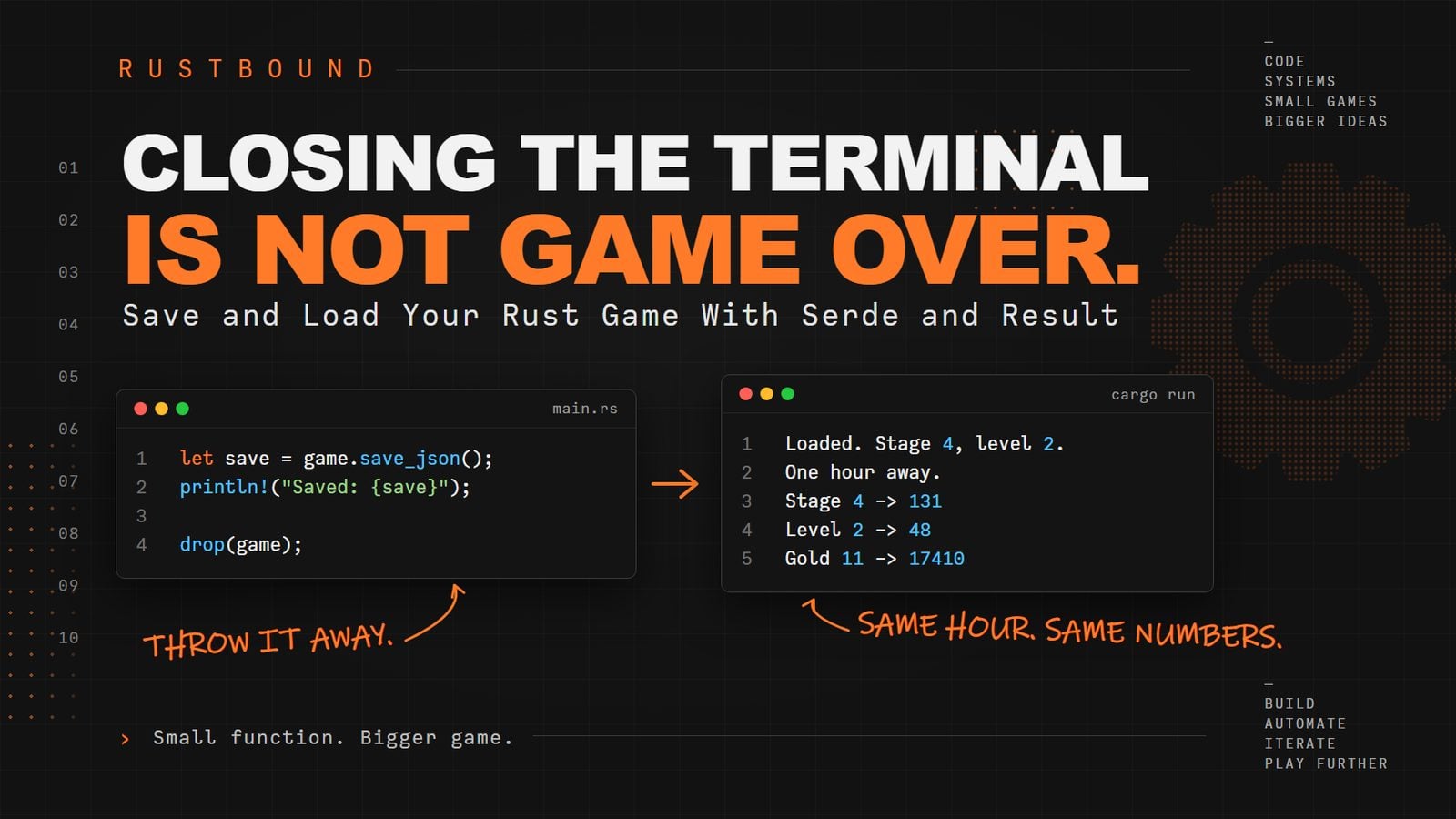
Close the tab now, and everything is gone. Our save system has been ready since the tenth article. It just needs somewhere to put the text.
The browser has a place for that: localStorage. It is a small key-value store, kept per website, that survives closing the tab and the browser. You put a string in under a name and get it back later by the same name.
Add this under startClock():
web/idle-game.js
  saveGame() {
    localStorage.setItem(
      SAVE_KEY,
      JSON.stringify({ savedAt: Date.now(), game: this.game.saveJson() }),
    );
    this.lastSaveAt = Date.now();
  }
And three constants at the top of the file, under the import line:
web/idle-game.js
const SAVE_KEY = "rustbound-idle.save";
const SAVE_EVERY_MS = 5000;
const MAX_AWAY_SECONDS = 8 * 60 * 60;
The constructor gets one more field, this.lastSaveAt = 0;.
Look at what gets saved. It is not the game's text on its own. It is a wrapper around that text, with a timestamp. The Rust save has no time in it, since the tenth article's SaveData holds only the game's numbers. The game never asks what time it is, as the eighth article established. The browser does, so the browser writes the time down next to the save, not inside it.
Now, when to save. There are three moments.
After every action. Change the attack and upgrade handlers to call a new helper, afterAction(), instead of renderState():
web/idle-game.js
    this.on("attack", () => {
      this.game.click();
      this.afterAction();
    });

    this.on("buy-click", () => {
      const outcome = this.game.buyClickUpgrade();
      this.afterAction();
      this.showStatus(
        outcome === "purchased" ? "Click damage upgraded." : "Not enough gold yet.",
      );
    });
with afterAction() just under bindEvents():
web/idle-game.js
  afterAction() {
    this.renderState();
    this.saveGame();
  }
Every few seconds while the clock runs, so idle progress is not lost either. Add this to the end of the function inside setInterval(), after this.renderState();:
web/idle-game.js
      if (now - this.lastSaveAt >= SAVE_EVERY_MS) {
        this.saveGame();
      }
And when the page is about to close, which matters most. In connectedCallback(), after this.startClock();:
web/idle-game.js
window.addEventListener("beforeunload", () => this.saveGame());
beforeunload fires when the tab is closed, reloaded, or navigated away from. It is the last thing we get to do.
Reload, click a few times, and look in the browser's developer tools, under Application (Chrome) or Storage (Firefox), at Local Storage. There is one entry, rustbound-idle.save. Inside it are a savedAt and the same JSON main() printed two articles ago. The game's JSON is stored as a string inside the wrapper's JSON, so its quotes show up escaped. That is normal.
Question: Why does the save wrapper hold savedAt next to the game's JSON, instead of the Rust save holding the time?
localStoragecannot store numbers- The game has no clock, and only the browser knows when the save was written
Game.fromJson()rejects any save that contains a timestamp- The timestamp is needed for
setInterval()to run
Answer: 2. The game has no clock, and only the browser knows when the save was written
Explanation: The rule for offline progress needs the difference between "when we saved" and "now." The engine should not read a clock, because that would make its tests depend on the time they run. The browser is the one that has a clock, so the browser keeps the note.
Saved. Now the other half.
Come back later
When the component starts, it should look for a save before it makes a new game. Replace the this.game = new Game(); line in connectedCallback() with this.restoreGame();, so the method reads:
web/idle-game.js
  async connectedCallback() {
    this.renderShell();

    await init();

    this.restoreGame();
    this.bindEvents();
    this.renderState();
    this.startClock();

    window.addEventListener("beforeunload", () => this.saveGame());
  }
Then restoreGame(), under saveGame():
web/idle-game.js
  restoreGame() {
    const raw = localStorage.getItem(SAVE_KEY);

    if (raw === null) {
      this.game = new Game();
      return;
    }

    try {
      const save = JSON.parse(raw);

      this.game = Game.fromJson(save.game);

      const awaySeconds = Math.floor((Date.now() - save.savedAt) / 1000);
      const appliedSeconds = Math.max(0, Math.min(awaySeconds, MAX_AWAY_SECONDS));

      this.game.tick(appliedSeconds);

      if (appliedSeconds > 0) {
        this.showStatus(`Welcome back. ${describe(appliedSeconds)} of progress applied.`);
      }
    } catch (error) {
      console.warn("Could not restore the save:", error);
      localStorage.removeItem(SAVE_KEY);
      this.game = new Game();
      this.showStatus("The old save could not be read, so a new game was started.");
    }
  }
And two small helpers outside the class, above customElements.define:
web/idle-game.js
function describe(seconds) {
  if (seconds < 60) return plural(seconds, "second");
  if (seconds < 3600) return plural(Math.floor(seconds / 60), "minute");
  return plural(Math.floor(seconds / 3600), "hour");
}

function plural(count, unit) {
  return count === 1 ? `1 ${unit}` : `${count} ${unit}s`;
}
Top to bottom.
If there is no save, we make a new game. That is the first run.
Otherwise, we open the wrapper and hand the game's text to Game.fromJson(). That is from_saved_json() from the tenth article, reached through the adapter from the last one. Rust checks the shape and the version. JavaScript does not look inside.
Then the time. The wrapper knows when the save was written, and the browser knows the time now. The difference, in seconds, is how long you were gone. Here is the moment the series has been pointing at since the eighth article:
web/idle-game.js
this.game.tick(appliedSeconds);
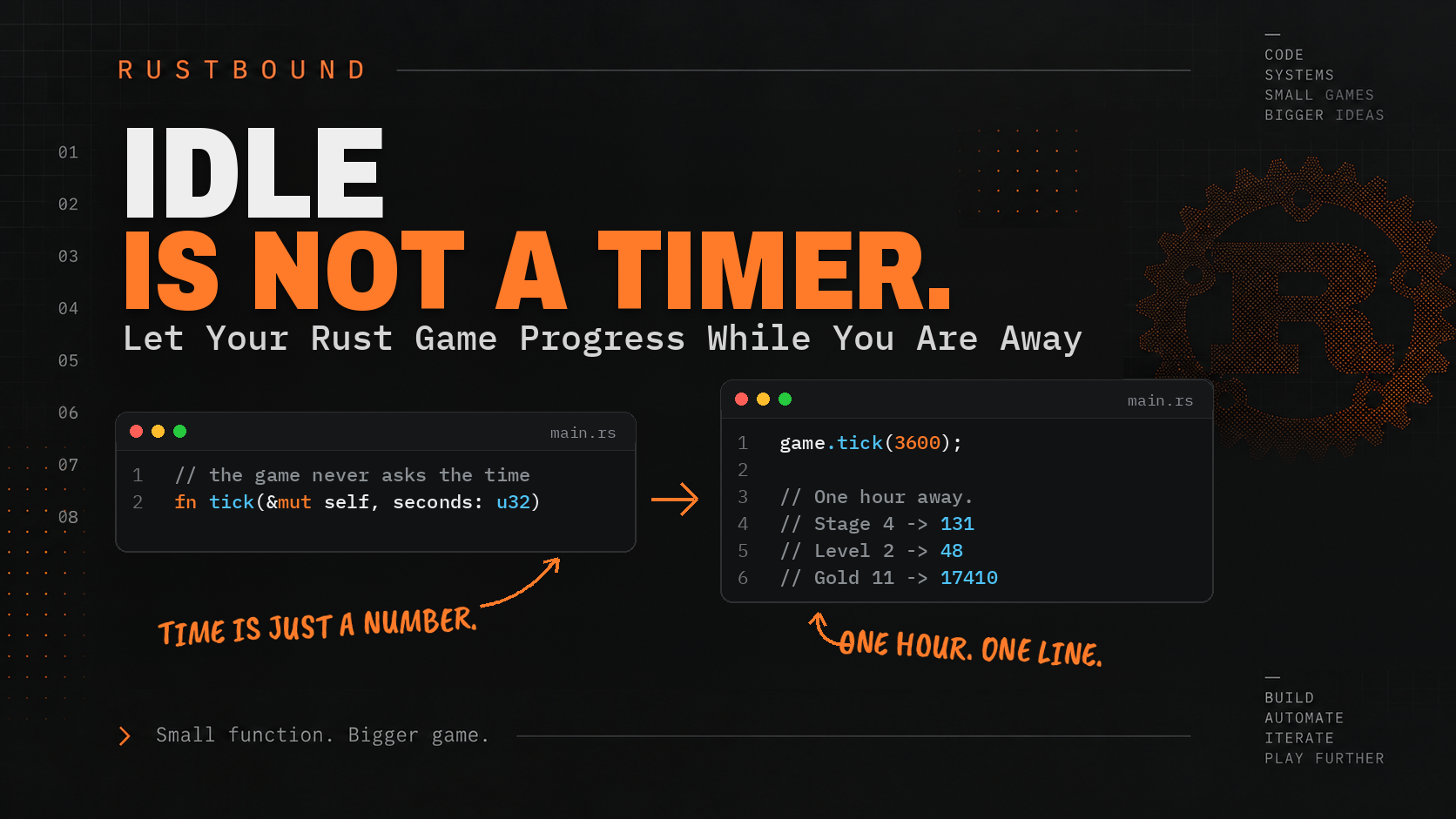
Offline progress is not a feature. It is the same tick() that runs every second while the tab is open, handed a bigger number. There is no second system for "while you were away," because the engine never knew the difference between one second and ten thousand.
There is one limit. MAX_AWAY_SECONDS is eight hours. Come back after a week and you get eight hours of progress, not a week. That is a design choice, not a rule of combat. The eighth article said this decision belongs with whoever owns the clock. Now the browser owns the clock, so the limit lives here, as one constant anyone can change.
Math.max(0, ...) is there in case the clock on the computer went backwards. It happens.
The try/catch is the border doing its job from the JavaScript side. If localStorage holds something that is not JSON, JSON.parse throws. If it is JSON but Rust will not accept it, Game.fromJson throws the message we wrote in web.rs. Either way we land in the catch, log it, throw the save away, and start fresh with a sentence on screen that says so. Nobody gets a blank page.
Question: restoreGame() calls this.game.tick(appliedSeconds) on a game loaded from a save. What makes this offline progress rather than a second rule?
Game.fromJson()runs a separate catch-up function- It is the same
tick()the clock calls every second, handed a larger number of seconds MAX_AWAY_SECONDSswitches the engine into a slower mode- The browser replays every click from the save
Answer: 2. It is the same tick() the clock calls every second, handed a larger number of seconds
Explanation: The rules have no idea whether a tick covers one second or a week. The clock decides how much time to report, and the engine applies the same rules to it either way.
Now try the whole thing.
Reload. Click a slime to death. Close the tab. Count to thirty. Open it again.
Welcome back. 30 seconds of progress applied.
The game has moved on by thirty seconds of idle damage. The slime is thirty health down, or it died and the next one is up.
To see a longer wait without waiting, open the developer tools, find rustbound-idle.save in Local Storage, and subtract 600000 (ten minutes, in milliseconds) from savedAt. Reload.
Welcome back. 10 minutes of progress applied.
To see the catch, replace the whole stored value with the word banana and reload. The console says:
Could not restore the save: SyntaxError: Unexpected token 'b', "banana" is not valid JSON
and the page says a new game was started. Try it once more with valid JSON that Rust will refuse, {"savedAt":0,"game":"banana"}:
Could not restore the save: That save could not be read.
That sentence came from Rust. It crossed the border as a throw, exactly as promised.
Reset, and free()
One more button, because a game you cannot restart is a game you can only play once per browser.
Add a third handler inside bindEvents():
web/idle-game.js
    this.on("reset", () => {
      localStorage.removeItem(SAVE_KEY);
      this.game.free();
      this.game = new Game();
      this.renderState();
      this.showStatus("New game started.");
    });
Three of those lines are obvious. The free() is the one we skipped last time.
JavaScript tidies up after itself. When nothing refers to an object any more, the browser quietly reclaims its memory. But a Game does not live in JavaScript's memory. It lives on the Rust side of the border, in WebAssembly's memory, and the browser's tidying cannot see in there. Replace this.game with a new one and JavaScript forgets the old one, but its memory stays taken. free() tells the generated glue to give that memory back. It is drop(game) from the tenth article, done by hand, because the border cannot do it for us.
In this game, a missed free() would leak a small amount per reset, and nobody would notice. The habit is still worth having, because the next project might hold something much bigger.
Question: A Game is no longer referenced in JavaScript. Why might its memory still be taken?
- JavaScript's garbage collector never runs in a browser tab
- The game's memory lives in WebAssembly's memory, which the garbage collector cannot see into
localStoragekeeps a copy of everyGamealivenew Game()always allocates its memory twice
Answer: 2. The game's memory lives in WebAssembly's memory, which the garbage collector cannot see into
Explanation: The garbage collector frees JavaScript objects. A
Gameis a Rust value on the other side of the border, sofree()is the only way to say that we are done with it.
A test that opens a browser
This article adds nothing to Rust, so cargo test still says thirty-two.
The new code runs in a browser, and testing it means opening one. Playwright is a library that drives a real browser from a script: load a page, click, read text, reload. We already have Node, because we have npm, so install it in the web folder:
cd web
npm init -y
npm install --save-dev playwright
npx playwright install chromium
npm init -y writes a package.json that describes the folder. npm install adds Playwright to it and downloads it into node_modules. The last line downloads a copy of Chromium for Playwright to drive. It is large, and it only happens once.
Then create web/check.mjs:
web/check.mjs
import { chromium } from "playwright";

const PAGE = process.argv[2] ?? "http://localhost:8080/";
const OTHER_PAGE = new URL("styles.css", PAGE).href;

const browser = await chromium.launch();
const page = await browser.newPage();
const problems = [];

page.on("pageerror", (error) => problems.push(`page error: ${error.message}`));
page.on("console", (message) => {
  if (message.type() === "error") problems.push(`console: ${message.text()}`);
});

const game = page.locator("idle-game");
const text = (selector) => game.locator(selector).textContent();
const number = async (selector) => Number(await text(selector));

await page.goto(PAGE);
await page.waitForFunction(() => {
  const el = document.querySelector("idle-game");
  return el?.shadowRoot?.querySelector("[data-enemy-health]")?.textContent !== "0";
});

const check = (label, condition) => {
  console.log(`${condition ? "ok  " : "FAIL"} ${label}`);
  if (!condition) problems.push(label);
};

check("a new game starts at stage 1", (await number("[data-stage]")) === 1);
check("the slime has 20 of 20 health", (await text("[data-enemy-health]")) === "20");

for (let i = 0; i < 4; i += 1) {
  await game.locator('[data-action="attack"]').click();
}

check("four clicks clear the first slime", (await number("[data-stage]")) === 2);
check("the player was paid", (await number("[data-gold]")) === 5);

// Leave the game page, which saves on the way out. From a page on the same
// server that is not the game, pretend that save is ten minutes old.
await page.goto(OTHER_PAGE);
await page.evaluate(() => {
  const save = JSON.parse(localStorage.getItem("rustbound-idle.save"));
  save.savedAt -= 10 * 60 * 1000;
  localStorage.setItem("rustbound-idle.save", JSON.stringify(save));
});

await page.goto(PAGE);
await page.waitForFunction(() =>
  document
    .querySelector("idle-game")
    ?.shadowRoot?.querySelector("[data-status]")
    ?.textContent.startsWith("Welcome back"),
);

check("the save was restored and ten minutes applied", (await number("[data-stage]")) >= 2);
check("the status says how long we were gone", (await text("[data-status]")).includes("10 minutes"));

await page.goto(OTHER_PAGE);
await page.evaluate(() => localStorage.setItem("rustbound-idle.save", "banana"));
await page.goto(PAGE);
await page.waitForFunction(() =>
  document
    .querySelector("idle-game")
    ?.shadowRoot?.querySelector("[data-status]")
    ?.textContent.includes("could not be read"),
);

check("a broken save starts a new game", (await number("[data-stage]")) === 1);

await browser.close();

if (problems.length > 0) {
  console.error("\nProblems:\n" + problems.join("\n"));
  process.exit(1);
}

console.log("\nAll checks passed.");
It does by script what you just did by hand: a new game, four clicks, a backdated save, a broken save. Each check() prints a line and remembers failures. Any error the page logs counts as a failure too.
Two bits of JavaScript punctuation may be new. ?. means if this exists, so el?.shadowRoot is undefined instead of an error when el is missing. ?? means or else, so the script takes a page address from the command line if you give one, and otherwise uses localhost:8080.
The one odd move is the trip to OTHER_PAGE. The component saves on beforeunload. If the script edited savedAt while still on the game page, then reloaded, the component would overwrite the edit on its way out with the real time. So the script steps off the game page first, edits the save from a page that has no component, and comes back.
With the server still running, in the web folder:
node check.mjs
ok   a new game starts at stage 1
ok   the slime has 20 of 20 health
ok   four clicks clear the first slime
ok   the player was paid
ok   the save was restored and ten minutes applied
ok   the status says how long we were gone
ok   a broken save starts a new game

All checks passed.
Seven checks in a real browser, in a few seconds. None of them knows how much damage a click does. They know four clicks clear a slime because the Rust tests say so.
Add web/node_modules to the project's .gitignore, next to target and web/pkg. It is as generated as they are.
The complete program
If you are only reading along, skip to the last two sections.
If you have been following along, here are the files in web/. The Rust is untouched, and web/pkg/ is still whatever wasm-pack generates.
rustbound-idle/
├── .gitignore          (target, web/pkg, web/node_modules)
├── Cargo.toml
├── src/                (unchanged)
├── tests/              (unchanged)
└── web/
    ├── index.html
    ├── idle-game.js
    ├── styles.css
    ├── check.mjs
    ├── package.json
    ├── node_modules/   (generated)
    └── pkg/            (generated)
web/index.html, web/styles.css, and web/check.mjs are exactly as shown above. web/idle-game.js is the whole component in one place:
web/idle-game.js
import init, { Game } from "./pkg/rustbound_idle.js";

const SAVE_KEY = "rustbound-idle.save";
const SAVE_EVERY_MS = 5000;
const MAX_AWAY_SECONDS = 8 * 60 * 60;

class IdleGame extends HTMLElement {
  constructor() {
    super();
    this.attachShadow({ mode: "open" });
    this.game = null;
    this.timer = null;
    this.lastTickAt = 0;
    this.lastSaveAt = 0;
  }

  async connectedCallback() {
    this.renderShell();

    await init();

    this.restoreGame();
    this.bindEvents();
    this.renderState();
    this.startClock();

    window.addEventListener("beforeunload", () => this.saveGame());
  }

  renderShell() {
    this.shadowRoot.innerHTML = `
      <link rel="stylesheet" href="./styles.css" />

      <section class="game">
        <h1>Rustbound Idle</h1>
        <p class="status" data-status role="status" aria-live="polite"></p>

        <section class="stats">
          <p>Stage <strong data-stage>1</strong></p>
          <p>Level <strong data-level>1</strong></p>
          <p>Gold <strong data-gold>0</strong></p>
        </section>

        <section class="enemy">
          <h2 data-enemy-name>Enemy</h2>
          <p><span data-enemy-health>0</span> / <span data-enemy-max-health>0</span> HP</p>
          <div class="meter"><span data-health-bar></span></div>
          <button data-action="attack" type="button">
            Attack for <span data-click-damage>0</span>
          </button>
        </section>

        <section class="progress">
          <p>XP <span data-xp>0</span> / <span data-xp-needed>0</span></p>
          <div class="meter xp"><span data-xp-bar></span></div>
        </section>

        <section class="upgrades">
          <button data-action="buy-click" type="button">
            Sharper clicks (level <span data-click-upgrade-level>0</span>)
            for <span data-click-upgrade-cost>0</span> gold
          </button>
        </section>

        <button class="reset" data-action="reset" type="button">Reset save</button>
      </section>
    `;
  }

  bindEvents() {
    this.on("attack", () => {
      this.game.click();
      this.afterAction();
    });

    this.on("buy-click", () => {
      const outcome = this.game.buyClickUpgrade();
      this.afterAction();
      this.showStatus(
        outcome === "purchased" ? "Click damage upgraded." : "Not enough gold yet.",
      );
    });

    this.on("reset", () => {
      localStorage.removeItem(SAVE_KEY);
      this.game.free();
      this.game = new Game();
      this.renderState();
      this.showStatus("New game started.");
    });
  }

  afterAction() {
    this.renderState();
    this.saveGame();
  }

  on(action, handler) {
    this.shadowRoot
      .querySelector(`[data-action="${action}"]`)
      .addEventListener("click", handler);
  }

  renderState() {
    const state = JSON.parse(this.game.stateJson());

    this.setText("[data-stage]", state.stage);
    this.setText("[data-level]", state.level);
    this.setText("[data-gold]", state.gold);
    this.setText("[data-enemy-name]", state.enemyName);
    this.setText("[data-enemy-health]", state.enemyHealth);
    this.setText("[data-enemy-max-health]", state.enemyMaxHealth);
    this.setText("[data-click-damage]", state.clickDamage);
    this.setText("[data-xp]", state.xp);
    this.setText("[data-xp-needed]", state.xpNeeded);
    this.setText("[data-click-upgrade-level]", state.clickUpgradeLevel);
    this.setText("[data-click-upgrade-cost]", state.clickUpgradeCost);

    this.setMeter("[data-health-bar]", state.enemyHealth, state.enemyMaxHealth);
    this.setMeter("[data-xp-bar]", state.xp, state.xpNeeded);

    this.shadowRoot.querySelector('[data-action="buy-click"]').disabled =
      state.gold < state.clickUpgradeCost;
  }

  setText(selector, value) {
    this.shadowRoot.querySelector(selector).textContent = String(value);
  }

  setMeter(selector, value, max) {
    const percent = max === 0 ? 0 : Math.min(100, (value / max) * 100);
    this.shadowRoot.querySelector(selector).style.width = `${percent}%`;
  }

  showStatus(message) {
    this.shadowRoot.querySelector("[data-status]").textContent = message;
  }

  startClock() {
    this.lastTickAt = Date.now();

    this.timer = setInterval(() => {
      const now = Date.now();
      const elapsedSeconds = Math.floor((now - this.lastTickAt) / 1000);

      if (elapsedSeconds < 1) return;

      this.lastTickAt += elapsedSeconds * 1000;
      this.game.tick(elapsedSeconds);
      this.renderState();

      if (now - this.lastSaveAt >= SAVE_EVERY_MS) {
        this.saveGame();
      }
    }, 1000);
  }

  saveGame() {
    localStorage.setItem(
      SAVE_KEY,
      JSON.stringify({ savedAt: Date.now(), game: this.game.saveJson() }),
    );
    this.lastSaveAt = Date.now();
  }

  restoreGame() {
    const raw = localStorage.getItem(SAVE_KEY);

    if (raw === null) {
      this.game = new Game();
      return;
    }

    try {
      const save = JSON.parse(raw);

      this.game = Game.fromJson(save.game);

      const awaySeconds = Math.floor((Date.now() - save.savedAt) / 1000);
      const appliedSeconds = Math.max(0, Math.min(awaySeconds, MAX_AWAY_SECONDS));

      this.game.tick(appliedSeconds);

      if (appliedSeconds > 0) {
        this.showStatus(`Welcome back. ${describe(appliedSeconds)} of progress applied.`);
      }
    } catch (error) {
      console.warn("Could not restore the save:", error);
      localStorage.removeItem(SAVE_KEY);
      this.game = new Game();
      this.showStatus("The old save could not be read, so a new game was started.");
    }
  }
}

function describe(seconds) {
  if (seconds < 60) return plural(seconds, "second");
  if (seconds < 3600) return plural(Math.floor(seconds / 60), "minute");
  return plural(Math.floor(seconds / 3600), "hour");
}

function plural(count, unit) {
  return count === 1 ? `1 ${unit}` : `${count} ${unit}s`;
}

customElements.define("idle-game", IdleGame);
web/package.json is whatever npm wrote. You can trim it to this, which also gives you npm run check as a shortcut:
web/package.json
{
  "name": "rustbound-idle-web",
  "private": true,
  "type": "module",
  "scripts": {
    "check": "node check.mjs"
  },
  "devDependencies": {
    "playwright": "^1.64"
  }
}
Run everything:
cargo test
wasm-pack build --target web --out-dir web/pkg
python3 -m http.server 8080 --directory web
and, in a second terminal, in web/:
node check.mjs
Thirty-two Rust tests, seven browser checks, and a game you can play at http://localhost:8080/.
What we learned
Along the way, we encountered:
- custom elements,
HTMLElement, andcustomElements.define() constructor(),super(), andconnectedCallback()- the shadow DOM,
attachShadow(), and:host - drawing a shell once and filling in values many times
data-attributes as hooks, andquerySelector()role="status"andaria-liveaddEventListener(), and a handler that tells the game and redraws- disabling a button from a comparison, not a calculation
setInterval(), and measuring elapsed time instead of trusting the timerlocalStorage, and a save wrapper that carries the timestampbeforeunloadtry/catcharound a call that can throw from Rusttick()as offline progress, and a cap that lives with the clockfree()- Playwright, and a test that drives a real browser
You do not need to memorize all of that yet.
Two ideas are worth keeping.
The first is the shape of every handler in this file. Tell the game. Ask what the world looks like now. Draw it. None of them contains an if about gold, damage, or health. The only comparison in the whole component is gold < cost, and both sides of it came from Rust. When a screen looks like that, you can replace it. Someone could rewrite this file in a framework, or as a canvas, or as a terminal UI, and the game would not notice.
The second is where the clock went. In the eighth article we said time belonged to whoever runs the game, and we left the question of how much away-time to accept for later. Today the browser runs the game, so the browser owns setInterval, Date.now(), savedAt, and MAX_AWAY_SECONDS. All four are on the JavaScript side of the border, and tick(seconds) is the only one the Rust side ever hears about.
It works on my machine
That phrase has ruined enough afternoons.
The game runs at localhost:8080, which means it runs for exactly one person. Next time we make the build repeatable, put the files where a static host can find them, and give Rustbound Idle a public address.
The browser owns the pixels. The server will own the delivery.
Neither of them gets the rules.
Small function. Bigger game.
About the author
- Web developer building full-stack applications with JavaScript, React, Node.js, and modern web APIs.
Comments
Join the discussionNo comments yet. Be the first to comment.
Rustbound - Build Your First Rust App, One Function at a Time
Learn Rust by building a real idle game from small functions to a complete WebAssembly app with testing, persistence, Web Components, PWA support, and deployment.